Touch a spine, the book opens
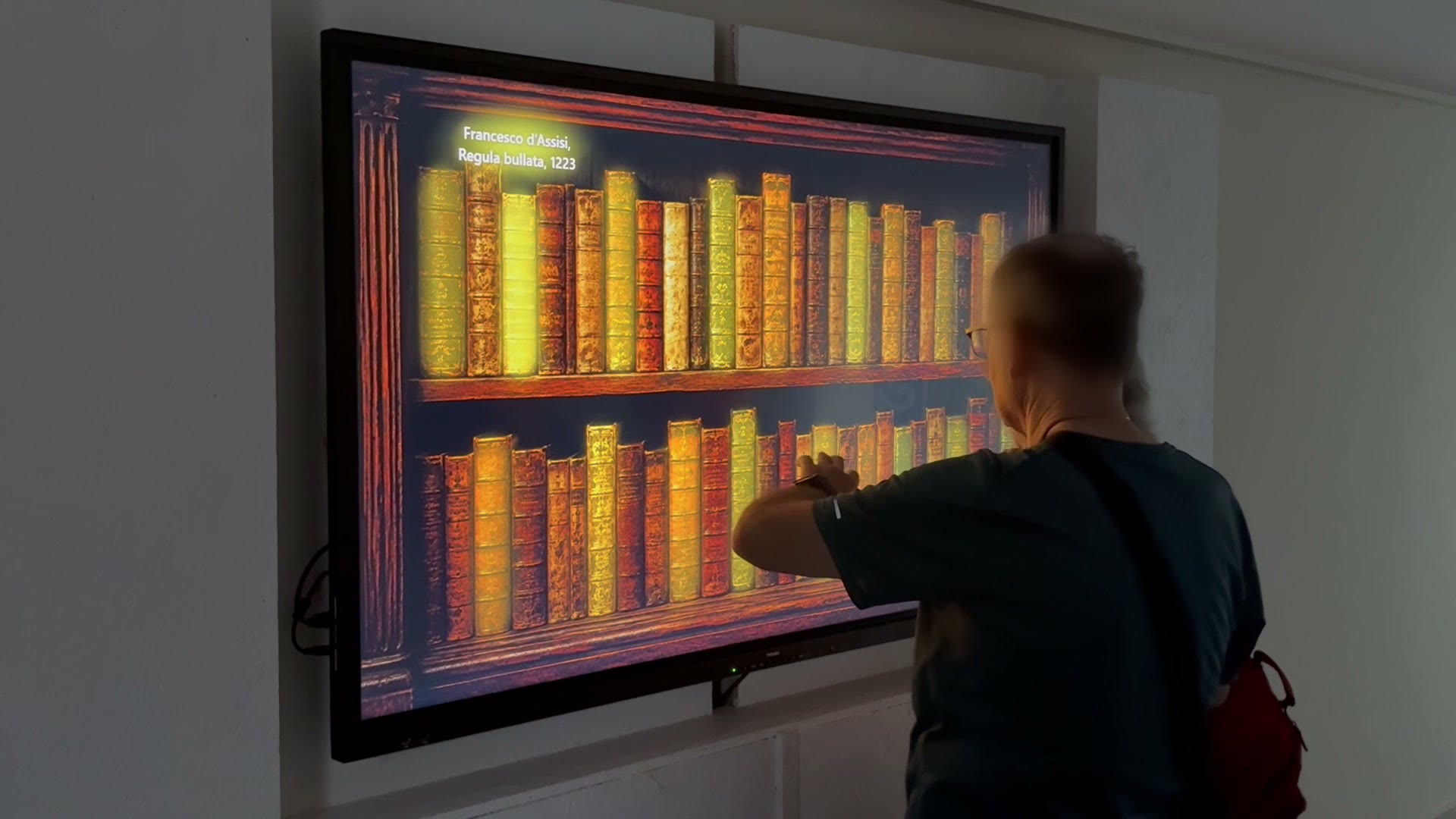
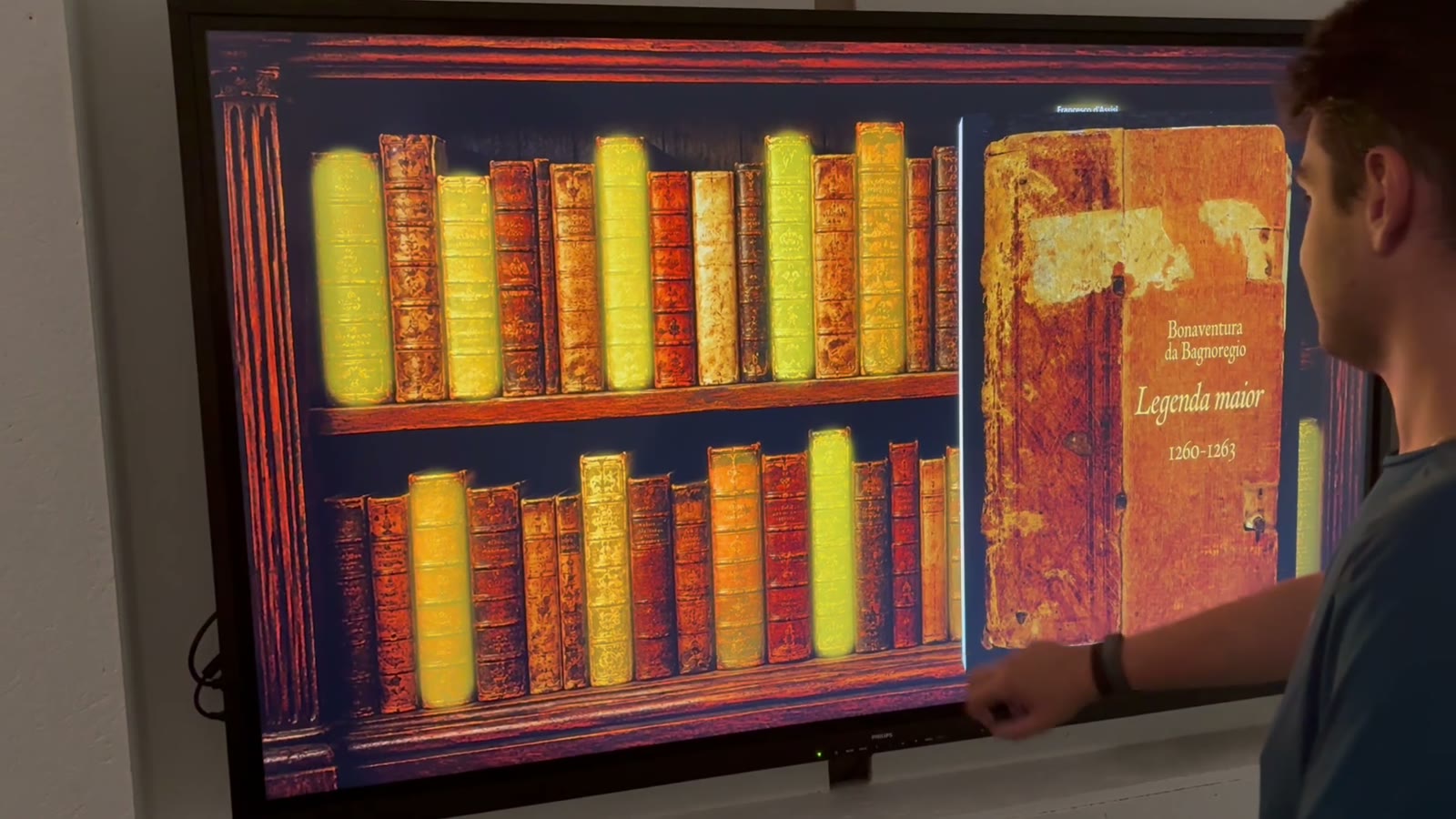
On the wall the shelf never goes away. The volume opens with a 3D cover animation that lands pixel-aligned on the flipbook underneath.
A kiosk suite for rare book collections
EasyFlipbook turns manuscripts, incunabula and archive holdings into digital flipbooks your visitors can read on site. A totem, a touch wall and an editor to curate it all: no server, no connection, no installer.
The experience
No manual, no on-screen instructions. Visitors recognise the object and already know what to do — because the shelf is the one in the room, and the page curls the way a page does.
On the wall the shelf never goes away. The volume opens with a 3D cover animation that lands pixel-aligned on the flipbook underneath.
One realistic page-turn engine, shared by totem and wall: drag it, flick it, turn back. The paper has weight, shadow and resistance.
On the totem the library is a full-screen grid of covers, with generous tiles built for fingers and an order set by the curator.
How it works
The curator works on their own workstation. Once the library is ready, one folder is copied onto the station and the exhibit is live.
PDFs or image folders. The Editor extracts the pages, reads the document metadata and prepares the covers. No manual file wrangling.
Place ⓘ markers on the pages and write the notes or translations. Position the spines on your shelf image. Tune colours, fonts, density and corner radii on the “Appearance” page — with a live preview.
Copy the folder onto the station, switch on Windows Assigned Access and it boots full-screen in kiosk mode. Every restart comes back ready.
The three applications
They share the data model, the page-turn engine and the visual identity. Each one is deployed separately, on the machine it belongs to.
FlipBook.Viewer
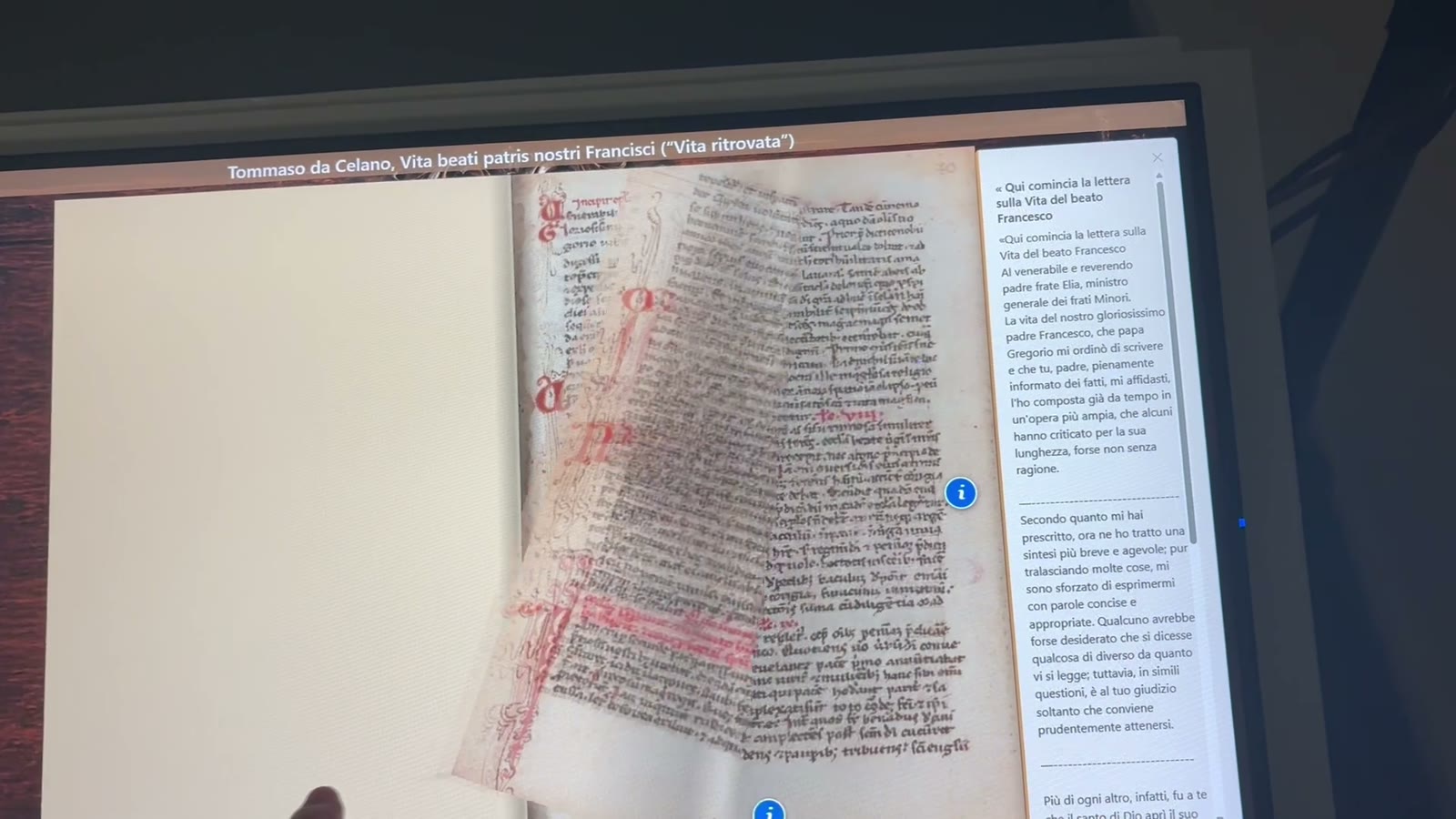
The close-reading station. A visitor picks a volume from the grid of covers and reads it full-screen.
FlipBook.WallViewer
The scenographic piece: your shelf image full-screen, on a touch monitor of 32 inches and up. The spines are the books.

FlipBook.Editor
The curator's application, on an ordinary Windows workstation. It builds the library and decides how everything else looks.
Features
Curl, shadow and inertia. One engine, identical on the totem and on the wall.
ⓘ anchors placed on the page: one tap opens a panel with the text and its source.
The cover rotates open, then hands over to the flipbook it is pixel-aligned with.
No generic bookcase: the wall uses the image you supply, spine by spine.
Nine colours, font families and sizes, spacing density and corner roundness. No rebuild.
Pages are extracted and prepared on import. Your source files stay where they are.
Full-screen, always on top, escape shortcuts intercepted, Windows Assigned Access.
All data lives on the local filesystem. No cloud, no accounts, no downtime.
One self-contained folder and a ZIP. No installer, no administrator rights.
Gallery
Photographs from a live installation: touch wall, totem and projections.
Where it fits
EasyFlipbook was made for rare book collections, but the mechanic — a collection, a choice, a volume to leaf through — holds anywhere you need to show documents without handing them over.
Technical specifications
How to buy
EasyFlipbook is bought at the level your installation needs: the licence alone if you already own the stations, configured kits if you need to equip them, complete furnished stations if you start from scratch. Content and customisation can be added at any level.
One licence per station in service: Viewer for the totem, WallViewer for the wall. The curator's Editor is included. Twelve months of updates included, then an optional yearly update-and-support fee.
One-off, per stationStation licence plus a 27″, 32″, 55″ or 65″ touch display depending on the station, a mini PC and mounts. Delivered already in kiosk mode and tested, with hardware warranty.
One-off + warrantyTotem kit plus a tilted lectern cabinet. Delivery, installation and commissioning on site.
TurnkeyWall kit plus housing structure or panelling. Delivery, installation and commissioning on site.
TurnkeyVolume preparation (import, covers, markers, translations), shelf image, visual identity, staff training. Bespoke development, scenography and projections on quotation.
Per unit · quotationList prices for the standard lines; content and customisation on quotation. Tell us about the collection and the space you have: we reply with an installation proposal.
Frequently asked
Never. All content sits on the station's own disk. That is a design decision: an exhibition room cannot depend on the network, and a connectivity failure must not take the exhibit down.
Yes. The Editor imports PDFs and image folders; pages are extracted and prepared at import time. Live PDF rendering inside the flipbook is planned for a later release, but for the visitor the result is already identical.
Yes, from the Editor. The “Appearance” page controls nine colours, font families and sizes, spacing density and corner roundness, plus the totem header's title, logo and background. Changes apply to totem and wall on their next start, without touching any code.
As many as you need, with one licence per station in service. Each station is a machine with its own copy of the data folder. The Editor lives on a separate workstation, needs no licence of its own, and must not work on the same data folder while a station is in service.
After a configurable idle period the station returns to the library or to the shelf by itself. On the wall you can also enable an attract loop that invites interaction when the room is empty.
No. Deployment is a self-contained folder you copy: the application carries its own runtime. Administrator rights are only needed to configure the Windows kiosk mode.
Let's talk
Send us a couple of lines about the holdings you want to exhibit and the space you have: we will come back with an installation proposal and a demo built on your own material.
Prefer email? info@jadisconsulting.com